iOS 27 new features: Thinking of buying an iPhone 18 Pro? Check what your old iPhone can do first
iOS 27’s smartest tricks are locked to newer iPhones, not every model gets Siri AI
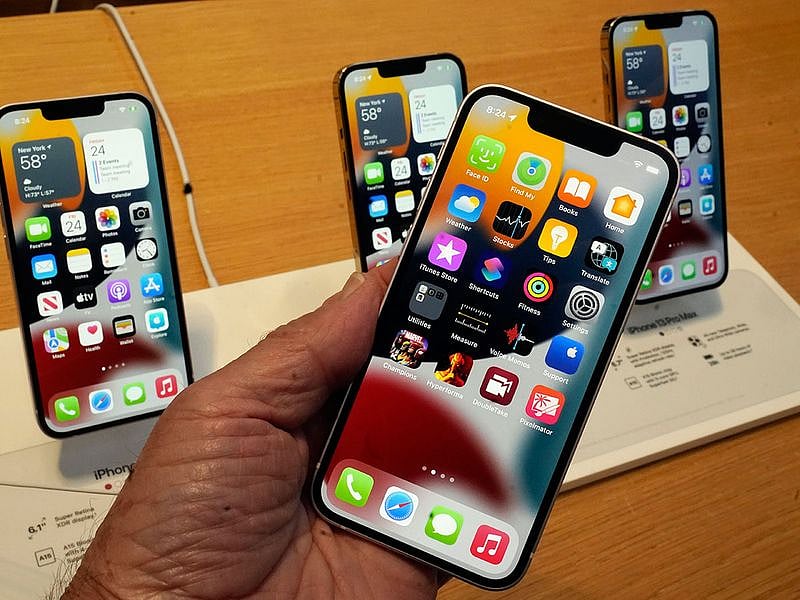
For years, an iPhone software update has felt like giving a familiar house a fresh coat of paint: a few visual tweaks, a redesigned app here and there, and a handful of features you might try once and promptly forget. iOS 27 could be different.
This time, the more interesting question isn't simply what's new. It's how much of it your existing iPhone can actually do, and whether you really need to buy an iPhone 18 Pro to get the best of it.
Apple's latest update places its biggest bet on making the iPhone more useful in the moment, with a dramatically upgraded Siri at the centre of it. But the changes extend well beyond Apple's AI ambitions: Your iPhone gets faster, location sharing becomes more flexible, switching between two iPhones gets easier, and CarPlay opens the door to video when the car is parked.
Before you tap that update button, here are eight iOS 27 changes that could actually make a difference to how you use your iPhone.
1. Siri finally wants to have a proper conversation
The biggest change is also the one Apple has promised for years. Siri gets a major intelligence upgrade in iOS 27, with a new Siri AI experience built to handle requests that go well beyond setting alarms, checking the weather, or opening an app.
Rather than just responding to isolated commands, Siri AI can answer more complex questions, draw on information stored on your iPhone, and understand what's happening on your screen. It can also carry out actions across a wider range of supported apps.
There's now a dedicated Siri app, though you can still summon the assistant with a press-and-hold of the side button.
The catch: Siri AI requires an iPhone 15 Pro or newer, since it relies on Apple Intelligence. Apple also says it will launch in English only, with daily usage limits. and expanded access could eventually become a paid feature. It won't be available in the EU at launch, either.
So while iOS 27 has broad reach, its headline feature isn't available to every iPhone owner.
2. Your iPhone could feel faster, without buying a new one
Not every worthwhile update needs a new icon. According to MacRumors, Apple says iOS 27 improves performance across the system: Faster app launches, quicker loading in Photos, and significantly faster AirDrop transfers. Specifically, apps can launch up to 30% faster, new photos can load up to 70% faster, and AirDrop transfers can speed up by as much as 80%.
That may turn out to be one of the least glamorous but most noticeable improvements in daily use, unlike a feature you have to remember to switch on, a faster phone is something you simply feel.
3. Switch between two iPhones without giving up your number
For anyone juggling two iPhones, iOS 27 introduces a genuinely useful feature: iPhone Handoff, which lets you switch between two compatible iPhones while keeping the same phone number active on both.
That's handy if you keep a separate work and personal iPhone, or just want to move between devices without constantly transferring cellular service.
There's a carrier catch, though: iPhone Handoff requires carrier support, and some carriers may charge extra for it. T-Mobile in the US is among the first to support it, with others expected to follow.
Most people won't rush to install iOS 27 just for this. But for those who need it, it removes a surprisingly persistent bit of friction.
4. Find My gets a little more discreet
Location sharing is becoming more flexible.
iOS 27 lets you set a custom duration for sharing your location, rather than choosing from a handful of preset options. You can also pause location sharing with specific people until the end of the day, without notifying them.
As MacRumours notes, Apple's example is deliberately wholesome, hiding your location while planning a surprise birthday party, but the broader point holds: not everyone needs indefinite access to your location just because you once agreed to share it.
5. Your photos can get an AI makeover
Apple Intelligence is pushing further into Photos, too. iOS 27 introduces new Extend and Reframe tools, while Image Playground can generate more photorealistic images. The update also brings AI capabilities elsewhere, including the ability to build new Shortcuts just by describing what you want to happen.
In short, Apple is shifting its AI tools from standalone novelties into the apps people already use every day, arguably a bigger deal than adding yet another chatbot to your phone.
6. Liquid Glass gets another polish
Apple says the interface now has more uniform refraction and improved contrast, with sharper, more detailed app icons. There's also a new slider to adjust how clear or tinted the Liquid Glass look appears.
It's the kind of change you might notice without quite being able to explain why your iPhone looks slightly different, and for anyone who found the original look a touch too translucent, the added control should be welcome.
7. CarPlay gets video, but only when you're parked
Apple is nudging CarPlay further into entertainment territory. With iOS 27, developers can build CarPlay apps with video-browsing features, letting drivers and passengers find videos directly on the car's display.
There's an important safety restriction: Video only plays when the vehicle is parked, making it most useful for moments like waiting at the airport or charging an EV rather than actual driving.
The bigger limitation is that support depends on the vehicle itself — Apple says the feature will roll out in new cars built to support it, so installing iOS 27 won't turn your existing CarPlay system into a video screen overnight.
8. Splitting the bill gets easier, if you're in the US
Apple is also giving Apple Cash a smarter way to deal with one of life's most tedious group activities: working out who owes what.
In the US, iOS 27 can use Apple Intelligence to help split a bill through Apple Cash.
You can point your iPhone at a receipt using the relevant Siri mode, select the items you paid for and have the phone calculate your share, including tax and tip.
It is a very specific feature, but it demonstrates where Apple's AI ambitions are heading: less “look what the AI can make” and more “let the phone figure out this annoying little task for me.”
The catch, again, is availability. This Apple Cash feature is US-only.
So, should you update?
If you have an older compatible iPhone, iOS 27 won't necessarily transform the device overnight, many of the biggest Apple Intelligence features are limited to newer models, and others depend on your region, carrier, or car.
That doesn't make the update insignificant, though.
What's interesting about iOS 27 is the shift from what your iPhone looks like to what it can actually do for you. Siri is the clearest example: Apple isn't just giving its assistant a new voice or interface, it's trying to make Siri understand your context, your information, and what's happening on your screen.
So, when you add the faster performance, more flexible Find My controls, and small features designed to remove everyday friction, and iOS 27 isn't so much a cosmetic refresh as it is Apple trying to make the iPhone genuinely more capable, without requiring you to buy a new one.
Just keep in mind: how much of the iOS 27 experience you actually get depends heavily on which iPhone you own.
So, do you actually need an iPhone 18 Pro?
If your current iPhone is a 15 Pro or newer, the honest answer is: Probably not, at least not for what iOS 27 brings. You'll get the full Siri AI experience, the performance gains, and every other feature on this list. The 18 Pro will still be faster and have a better camera, but iOS 27 doesn't hand new hardware anything old hardware can't already do.
If you're on an iPhone 14 or older, the calculus changes. You will still get the update, the performance boost, and most of the smaller quality-of-life features, but the headline act, Siri AI, simply won't run on your device. For anyone who's been waiting specifically for that upgraded assistant, iOS 27 alone won't get you there; only new hardware will.
In other words, iOS 27 is less a reason to buy the iPhone 18 Pro and more a reason to check whether you already own the phone that unlocks it. Update first, then decide if the gap between what you have and what Siri AI needs is one worth paying to close.
Is your iPhone compatible with iOS 27?
The good news is that iOS 27 has a fairly broad compatibility list, stretching back to the iPhone 11 series and the second-generation iPhone SE.
Here's the full list:
iPhone 18 Pro
iPhone 18 Pro Max
iPhone Duo
iPhone 17e
iPhone 17
iPhone 17 Pro
iPhone 17 Pro Max
iPhone Air
iPhone 16e
iPhone 16
iPhone 16 Plus
iPhone 16 Pro
iPhone 16 Pro Max
iPhone 15
iPhone 15 Plus
iPhone 15 Pro
iPhone 15 Pro Max
iPhone 14
iPhone 14 Plus
iPhone 14 Pro
iPhone 14 Pro Max
iPhone 13
iPhone 13 mini
iPhone 13 Pro
iPhone 13 Pro Max
iPhone 12
iPhone 12 mini
iPhone 12 Pro
iPhone 12 Pro Max
iPhone 11
iPhone 11 Pro
iPhone 11 Pro Max
iPhone SE (2nd generation and later)
However, compatible doesn't mean every iPhone gets every feature. The biggest distinction is Apple Intelligence. Siri AI and the other Apple Intelligence features require an iPhone 15 Pro or newer.
Network Links
GN StoreDownload our app
© Al Nisr Publishing LLC 2026. All rights reserved.