Your iPhone has a new scam protection feature — but it's turned off by default
iOS 27 can flag signs of impersonation scams before risky payments or account changes
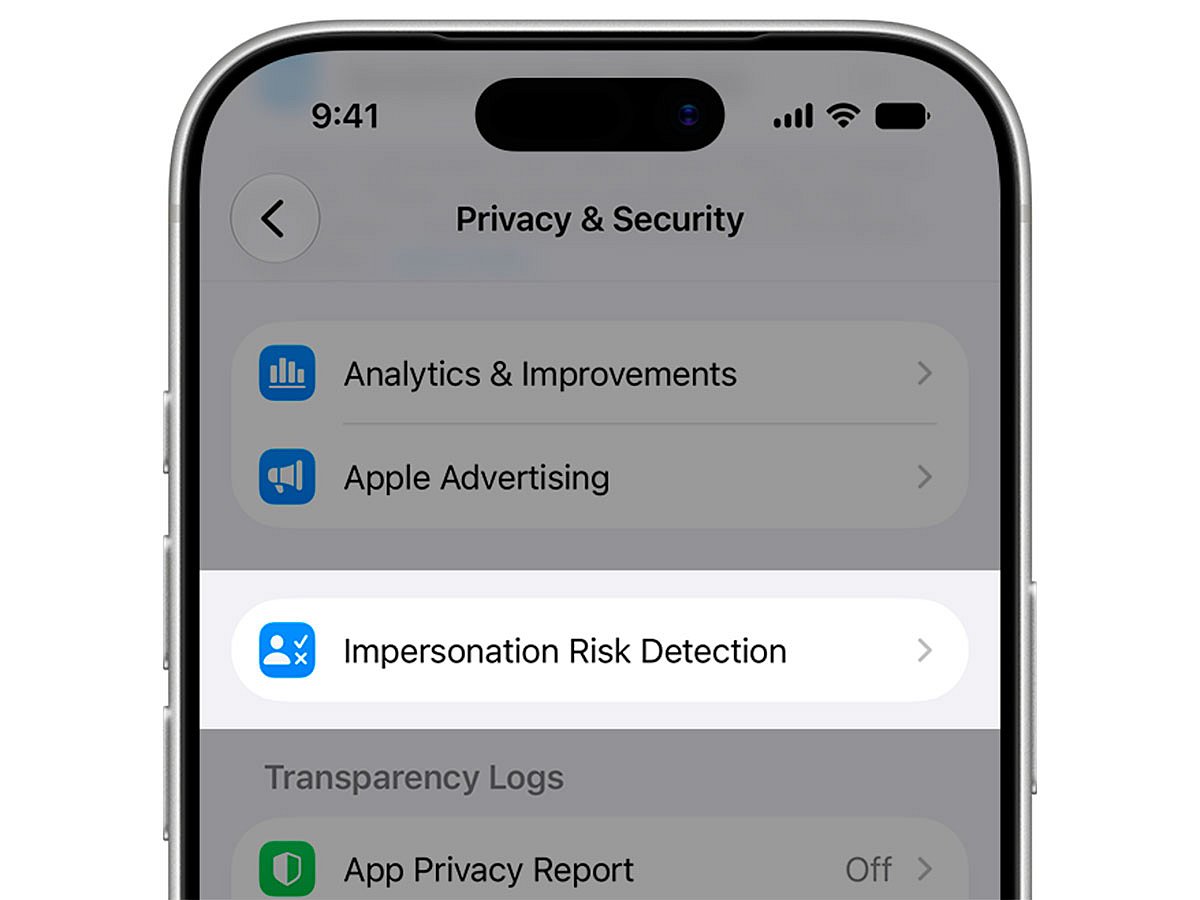
Apple has introduced a new iPhone security feature designed to detect signs that a user may be falling victim to an impersonation scam — but users need to switch it on.
Called Impersonation Risk Detection, the feature is available with iOS 27 and iPadOS 27 and targets social-engineering scams in which criminals pretend to be a bank, government agency or someone the victim trusts.
Get updated faster and for FREE: Download the Gulf News app now - simply click here.
Unlike conventional security protections that look for unauthorised access, the new system is designed for situations in which the legitimate account holder performs an action after being deceived or pressured.
That distinction matters because protections such as two-factor authentication may not stop a scam if the victim willingly approves a payment or changes an account setting.
How does it work?
When a compatible third-party app detects that a user is about to perform a potentially sensitive action — such as making a payment or changing critical account security information — it can ask the iPhone for a risk assessment.
Apple’s system analyses signals on the device and returns one of three risk levels: unknown, medium or high.
The app receives the risk level, not the underlying information used to calculate it.
What happens next depends on the app developer. A compatible app could display a warning, introduce a delay or require additional identity verification before allowing the action to proceed.
Importantly, the feature only works with third-party apps that support Impersonation Risk Detection.
How to turn it on
The protection is not enabled by default.
On an iPhone running iOS 27:
Settings → Privacy & Security → Impersonation Risk Detection → Share with App Developers
Users may need to sign in to the App Store with their Apple Account before enabling it.
Apple also warns users to be suspicious if someone contacts them and instructs them to turn off the feature. Changes to the setting may take up to 24 hours to take effect.
What does Apple analyse?
Apple says the detection process can analyse interaction patterns, timing, context and basic sensor data to determine whether suspicious activity may be taking place.
The analysis happens on the device.
Apple says it does not receive the information used to generate the risk level and does not analyse the contents of a user’s Photos, Messages or Mail.
Third-party apps receive the resulting risk assessment, not the underlying data.
Users can also see which apps have requested an assessment and why by returning to the Impersonation Risk Detection section in Settings.
The feature reflects a growing security challenge: criminals increasingly try to manipulate the person behind an authenticated device rather than defeat the device’s security itself.
In those situations, a password, Face ID or verification code may establish that the person performing an action is the legitimate account holder — but not whether that person has been tricked into doing it.
Network Links
GN StoreDownload our app
© Al Nisr Publishing LLC 2026. All rights reserved.