5 best smartphones under Dh2000 for seniors in the UAE, 2026
For people who prioritise clarity, ease of use and helpful features, here is our list
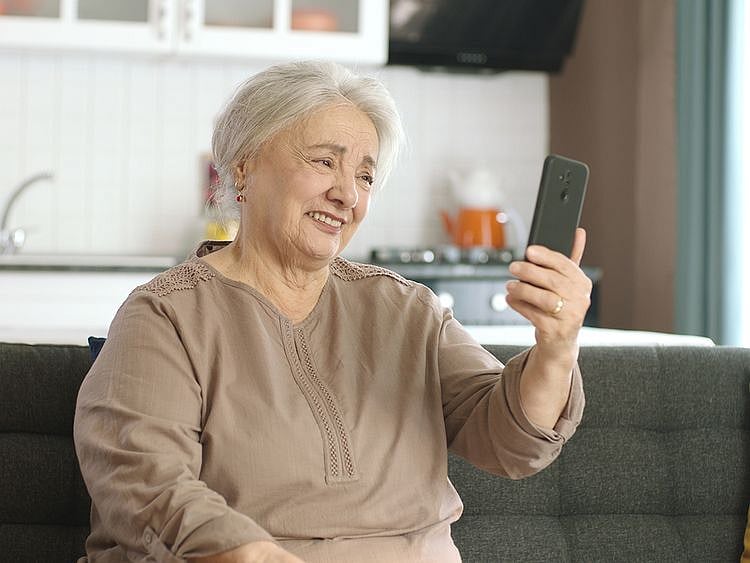
Choosing a smartphone for seniors is no longer just about making calls, it’s about finding a device that feels simple, clear, and genuinely easy to use. From large, readable displays to loud speakers, long-lasting batteries, and straightforward interfaces, the right phone can make everyday communication far more comfortable. But with so many options in the market, it can be tricky to know which ones are truly senior-friendly rather than just feature-packed. To make things easier, we’ve rounded up 5 of the best smartphones under Dh2000 in the UAE for 2026, devices that balance simplicity, reliability, and comfort without overwhelming the user.
Enjoy discounts, as well as free, fast delivery with Amazon Prime.
Get updated faster and for FREE: Download the Gulf News app now - simply click here.
1. Best Overall: Doro 6620
Pros
Cons
For seniors who find smartphones overwhelming, the Doro 6620 offers a refreshingly straightforward alternative. Designed specifically with elderly users in mind, this clamshell phone focuses on clarity, safety, and ease of use rather than complexity.
The 2.8-inch display is bright and legible, paired with large, high-contrast text that makes reading messages and navigating menus easier. What truly sets it apart, however, is the big-button keypad, which reduces the chances of misdialling, a common frustration with smaller, touch-based devices.
Its clamshell (flip) design adds another layer of practicality. Simply opening the phone answers a call, while closing it ends one, no swiping or tapping required. It also helps prevent accidental presses when the phone is in a pocket or bag.
Safety is a key focus. The built-in emergency button can instantly alert pre-set contacts and share the user’s GPS location, offering reassurance for both the user and their family.
Audio is another strong point. The Doro 6620 is engineered for loud and clear sound, making conversations easier for those with hearing challenges. It’s also compatible with hearing aids, which adds to its accessibility.
This is not a phone for apps or multitasking, but that’s precisely the point. The Doro 6620 is best suited for seniors who want a reliable device for calls, texts, and emergencies, without the learning curve of a modern smartphone.
2. Best Premium: Apple iPhone 14 Pro Max
Pros
Cons
The Apple iPhone 14 Pro Max is a large, feature-rich device that combines a powerful A16 Bionic chip, an advanced camera system, and a bright, high-resolution display. Its interface remains one of its biggest strengths—clean, intuitive, and easy to navigate, with large icons and a straightforward layout that can feel approachable even for those less familiar with smartphones.
The expansive screen makes a noticeable difference, especially for seniors. Photos, videos, and text appear sharp and detailed, which can be helpful for those who struggle with smaller displays. Safety features are another advantage. The Emergency SOS function allows users to quickly contact emergency services and share their location, while Fall Detection can automatically trigger a call for help after a hard fall.
The camera system is also a standout, offering an easy way to capture everyday moments with clarity and consistency.
That said, the phone’s size can be a drawback. Its large build may feel cumbersome for seniors with smaller hands or those who prefer something more compact and easier to handle. While iOS is user-friendly, the wide range of features may feel overwhelming at first, and getting comfortable with everything could take time or some guidance.
Overall, the iPhone 14 Pro Max offers strong performance, excellent visuals, and useful safety tools. It’s a good fit for seniors who are comfortable with technology and want a premium experience, but those prioritising simplicity or ease of handling may prefer a more straightforward device.
3. Best Value: Samsung Galaxy A07 LTE
Pros
Large display that’s easy to read for calls, messages and media
Simple Samsung One UI with Easy Mode option
Good battery life for all-day use
Affordable and widely available
Reliable for basic tasks like calls, WhatsApp and browsing
Cons
Entry-level performance can feel slow with multiple apps
Basic camera setup
Limited RAM/storage on lower variants
Not ideal for heavy multitasking or long-term power use
The Samsung Galaxy A07 LTE is designed as a straightforward smartphone—and that’s exactly what makes it a practical choice for seniors. It features a large display, which helps with readability, whether it’s checking messages, viewing photos, or navigating apps. For users who struggle with smaller text or cramped screens, this added screen space can make everyday use noticeably more comfortable.
Samsung’s One UI interface is another key advantage. It’s clean, intuitive, and can be simplified further with Easy Mode, which enlarges icons, reduces clutter, and makes navigation more predictable. This can significantly lower the learning curve for seniors who are new to smartphones or prefer a less complicated experience.
Battery life is dependable, meaning the phone can comfortably last through a full day of calls, messaging, and light use without constant charging, a small but important convenience.
Where the Galaxy A07 LTE shines is in its reliability for essentials. It handles calls, WhatsApp, video viewing, and basic apps with ease, without overwhelming users with unnecessary features. However, its entry-level performance means it’s best suited for lighter usage, as switching between many apps or using heavier applications may feel slower over time.
4. Best for Utility: Xiaomi Redmi Note 14 Mobile
Pros
Large, bright display that’s easy on the eyes
Smooth performance for everyday use
Strong battery life with fast charging
Good camera for its price range
Solid value with a premium feel
Cons
Interface can feel slightly cluttered for first-time users
Notifications and settings may need some initial setup
Larger size may not suit everyone
Some pre-installed apps (bloatware)
The Xiaomi Redmi Note 14 strikes a balance between performance and practicality, making it a strong mid-range option, even for seniors who want something a little more capable without stepping into premium territory. Its large, high-quality display makes reading messages, watching videos, and browsing noticeably easier, especially for those who prefer bigger, clearer visuals.
Performance is smooth for everyday tasks like calls, WhatsApp, video calls, and light app usage, which means the phone feels responsive without being overwhelming. The long-lasting battery, paired with fast charging, also reduces the need for frequent top-ups—an important convenience for users who may forget to charge regularly.
For seniors, the main advantage lies in its versatility without complexity. While Xiaomi’s interface (MIUI/HyperOS) can feel slightly busy at first, it can be simplified with basic adjustments, ike increasing text size, decluttering the home screen, and removing unused apps. Once set up, it becomes much easier to navigate.
The camera is another plus, offering a simple way to capture everyday moments clearly, whether it’s family photos or quick snapshots.
Overall, the Redmi Note 14 is well-suited for seniors who want a reliable, slightly more advanced smartphone that still covers all the basics comfortably—provided someone helps with the initial setup to streamline the experience.
5. Best Budget: Nokia G21
Pros
Cons
You get what you pay for, and the Nokia G21 offers you the basics at a price that won't singe your wallet. It demands minimum upkeep and is fairly easy to use. You can use it for your everyday tasks easily, which include calls and texts, and the large display makes it a good viewing experience. After its affordable price, the best aspect of this phone is its battery, so you can enjoy extended use throughout the day without needing to constantly search for a charger. The Nokia G21 includes a built-in FM radio, a feature some seniors might appreciate if they enjoy listening to their favourite stations. It doesn't suffer from bloatware, and offers a more streamlined interface that might be easier to navigate compared to phones with additional pre-loaded apps. However, be warned, the phone has a rather slow processor that might struggle with multitasking or complex apps. This could result in an occasional lag or slowdowns, especially when switching between apps. It also lacks water-resistant features, so extra care is needed to avoid accidental water damage. Ultimately, the Nokia G21 offers affordability but might require some technical know-how. For a truly user-friendly phone with senior-focused features, other options might be a better fit.
What you need to look for when buying a senior-friendly smartphone
Efficient smartphones with user-friendly video calling and texting apps like WhatsApp and Botim help seniors, allowing them to connect with family face-to-face, fostering a sense of closeness and combating loneliness.
Phones with crucial features, such as medication reminders, GPS navigation, and built-in SOS buttons can help them to manage their daily lives independently. In case of emergencies, a single press of the SOS button can send an alert with location details to pre-programmed contacts, providing peace of mind for both seniors and their families.
So keeping these factors in mind, here's what you need to look for when you're buying a phone for yourself or for a senior:
Ease of use
Simple interface: Look for a phone with a clean, uncluttered interface, with large, clear icons and easy-to-read fonts. Avoid complex menus and features that might be overwhelming.
Large buttons: Physical buttons on the phone, if present, should be large and easy to press. For touchscreen phones, ensure the interface allows for enlarged icons and text size adjustments.
Minimal learning curve: Opt for a phone with an intuitive operating system that requires minimal learning. Consider pre-loaded apps that are specifically useful for seniors, like medication reminders or video calling apps for staying connected with family.
Accessibility features
Hearing aid compatibility: Ensure the phone is compatible with most hearing aids to avoid any audio issues during calls. Some phones might offer adjustable volume levels or dedicated settings for hearing aids.
Vision assistance: Look for features like adjustable text size, screen brightness controls, and a magnification option for zooming in on text and images.
Emergency SOS: A dedicated SOS button or feature can be a lifesaver. Pressing this button should ideally send an emergency message with location details to pre-programmed contacts.
Our recommendations are independently chosen by Gulf News editors. If you decide to shop through links on our website, we may earn an affiliate commission, as we are part of Amazon Services LLC Associates Program.
Sign up for the Daily Briefing
Get the latest news and updates straight to your inbox
Network Links
GN StoreDownload our app
© Al Nisr Publishing LLC 2026. All rights reserved.