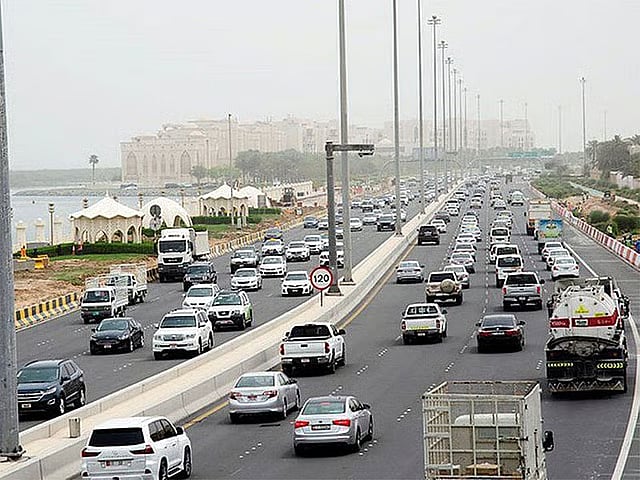
Traffic is slow in several parts of Abu Dhabi this morning, with Google Maps showing heavy congestion around Al Ain Road in Khalifa City and Al Rawdah Road in Mohamed Bin Zayed City. Roads across central and western Abu Dhabi Island are generally moving more freely.
Get updated faster and for FREE: Download the Gulf News app now - simply click here.
Google Maps shows heavy traffic on Al Ain Road through Khalifa City, with congestion building around the affected stretch.
Motorists using the route should allow extra time and consider alternative roads if possible.
Traffic is also slow on Al Rawdah Road in Mohamed Bin Zayed City, where congestion is adding to delays across the surrounding area.
Drivers heading through the area should expect slower journey times during the morning rush.
The most sustained congestion is around Mohamed Bin Zayed City, with slow-moving traffic showing along Al Manhal Street through the ME9 to ME12 areas.
Traffic is also building around the E11/E22 interchange, near Sheikh Shakhbout Medical City and Food Junction Baniyas.
Further delays are visible around the Musaffah Industrial Area and Abu Dhabi University junctions.
Traffic through central Abu Dhabi is generally moving well, although some minor delays are showing around Al Wahda Mall and the Al Manhal intersection.
There is also some slower traffic along parts of the Corniche near the World Trade Center and around the Muroor-E24 interchange.
The E10 corridor connecting Al Zahiyah, Al Nahyan and Reem Island remains largely clear.
Traffic around Khalifa University, Al Bateen and Sheikh Zayed Grand Mosque is moving smoothly, with only short slowdowns showing around some junctions.
There are no major stretches of sustained congestion visible in these areas on the live traffic map.
Sign up for the Daily Briefing
Get the latest news and updates straight to your inbox
Network Links
GN StoreDownload our app
© Al Nisr Publishing LLC 2026. All rights reserved.