Google Photos update brings full video-editing studio to your phone
Templates, music, text tools turn clips, images into polished highlight videos instantly
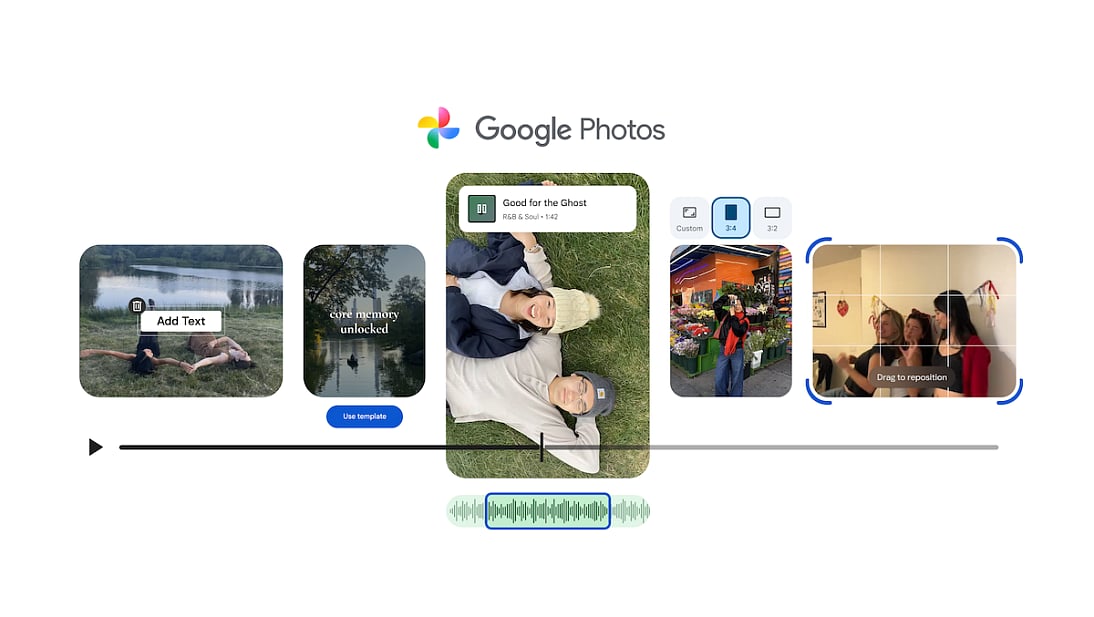
Google has rolled out a major upgrade to Google Photos, introducing new video-editing tools designed to simplify how users turn clips and images into polished, shareable videos. The update adds preset templates, a redesigned editor, and tools for music, text overlays, and multi-clip timelines.
Now, instead of exporting videos to a separate app, users can open Google Photos, select clips or images, choose a template, and instantly generate a polished “highlight reel.” The in-app editor — revamped on both Android and iOS — features a universal timeline and adaptive canvas for intuitive editing, bringing many functions once reserved for desktop tools directly to the phone.
The “Create → Highlight Video” flow also makes group editing easier. Templates come preloaded with music and synchronized cuts, and users can further customize with text or swap clips — a major convenience for mobile creators and everyday users alike.
With this release, Google Photos is positioning itself as a viable, built-in alternative to standalone mobile editors such as CapCut — especially for casual users who want quick, stylish edits without switching apps.
For many users, the update could mark a shift in how video memories are created: instead of juggling multiple apps to edit, add music, text, and export, that workflow can now begin and end entirely in Google Photos.
Network Links
GN StoreDownload our app
© Al Nisr Publishing LLC 2026. All rights reserved.