India launches e-OCI card for overseas citizens: How to apply, eligibility, step-by-step download guide
New e-OCI portal offers faster, safer access to OCI credentials for travellers
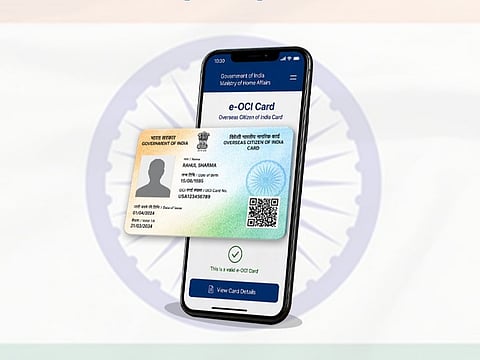
The Government of India has introduced the e-OCI (Electronic Overseas Citizen of India) card as part of its wider digital governance push, alongside the FCRA 2.0 Portal. The initiative aims to reduce paperwork and make services more efficient for more than 5 million OCI cardholders worldwide.
The e-OCI system allows users to store a digital version of their OCI card on a smartphone, enabling easier verification at airports and immigration counters. While the physical OCI booklet remains valid, the digital version offers added convenience, faster processing, and real-time access to identity details during travel.
Get updated faster and for FREE: Download the Gulf News app now - simply click here.
The platform is part of a broader effort to modernise citizen services through secure digital systems that also improve compliance and identity management.
OCI holders can access and generate their e-OCI card through the official portal by logging in, selecting the e-OCI section, and downloading the generated card for mobile use.
What is the e-OCI card?
The Government of India has launched the e-OCI (Electronic Overseas Citizen of India) card, a digital version of the existing OCI booklet that can be stored on a smartphone.
The new system allows OCI cardholders to present their digital card at immigration checkpoints and to airlines, removing the need to carry a physical document during travel.
The initiative is part of a wider digital governance push aimed at improving efficiency, security and ease of access for overseas citizens.
Who can use the e-OCI card?
The facility is available to existing OCI cardholders. Users can generate and download the digital version through the official OCI Services Portal.
Key benefits of e-OCI
Digital access on mobile devices
Easier travel and identity verification
Reduced risk of loss or damage
Faster immigration processing
Continued validity of physical OCI card
Is the physical OCI card still valid?
The physical OCI card remains fully valid. The e-OCI card is an additional digital facility, not a replacement.
How to download your e-OCI card
Step 1: Log in to the portal
Visit https://ociservices.gov.in
Log in using your existing User ID and password. New users must register using the email ID used in their OCI application.
Step 2: Open e-OCI section
Go to the dashboard and select the e-OCI tab.
Step 3: Generate your card
Your application details will appear. Click “Generate e-OCI Card” in the last column.
Step 4: Download the card
Once generated, download the e-OCI card and save it securely on your mobile or device.
Step 5: Use during travel
The digital card can be shown at immigration counters and to airlines whenever required.
What if your registered email is inaccessible?
If you cannot access your registered email ID, you can update it via the OCI portal by:
Registering again with a new email ID
Selecting OCI Miscellaneous Services
Entering passport details, OCI number and date of birth
Choosing Email ID Updation and submitting documents
Waiting for approval before generating the e-OCI card
Special permissions for OCI cardholders
OCI cardholders must obtain prior permission from FRRO or Indian Missions for:
Research activities
Journalism
Mountaineering
Internships in foreign missions or government bodies
Employment in foreign diplomatic missions
Missionary or Tabligh activities
OCI holders also require special permits to enter restricted, protected or prohibited areas in India.
Why the e-OCI system matters
The e-OCI platform is part of India’s digital transformation drive aimed at simplifying services for over 5 million OCI cardholders worldwide.
It enables real-time verification, reduces paperwork, improves immigration efficiency and strengthens digital identity management.
The system makes international travel more seamless by allowing users to log into the OCI Services Portal, generate the digital card and store it on a smartphone, while the physical OCI booklet remains valid and in use.


