A textbook for the future?
Whether laptops or desktops, computers contribute in speeding up school assignments and, in some cases, even reducing errors
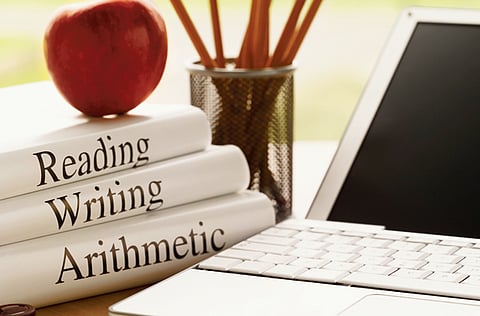
With the onslaught of students opting for online research and leaving reference books to collect dust on library shelves, many parents are left to wonder — ‘do computers limit students by making good old-fashioned research in books obsolete?' Or, ‘do they help students to learn by providing access to a worldwide classroom?'
Jeff Gordon, father of a 15-year-old girl, shares that he began to feel that a computer was a necessity when it became a timesaver. "When the written homework increased, we soon became aware that a computer with Microsoft Office was going to knock off a half-hour from her scheduled homework time. Handwriting or using a typewriter doesn't cut the mustard." Gordon also runs I Want an Education, a career-related blog for teens and young adults looking for educational and social answers. "Ultimately, when the teacher gives homework assignments that include the use of a computer, then it's time."
Benefits of the internet
Hafiz Norhashim, a developer for Gnowledge, an online depository for test papers, believes that children who are eight or older benefit greatly from access to the internet. "Children who use the internet can also benefit from potentially better time management, as looking up resources online is fast and simple, and is certainly useful, although supervision is recommended," he says. "Using technology can certainly be speedier than their local library and can give them a level of interactivity after school hours beyond typical homework assignments and reading textbooks." He adds that the most effective use of the internet for learning is when teachers assign specific projects and oversee the results.
Computers for Youth, an American programme that seeks to provide computers for low-income students, uses sixth grade as a pivotal time because children begin to disengage from academics, parents begin to feel less capable of helping with complex assignments and academic achievement begins to decline.
Vickie Smith, president of the publishing company Ark Essentials, doesn't concur that children need their own computers until they are ready for college, but she agrees that younger children need access to a home computer. "As long as kids are still at home, a desktop is the most cost-effective, durable and practical solution," says Smith.
Adult student Harry Hawk, who is dyslexic, provides an interesting perspective about the advantages of computers for students. "I got my first computer in 1979 when I entered college. Before that, it was very hard for me to write papers. One teacher in fifth grade allowed me to submit reports by tape recorder."
Hawk, who has two master's degrees, explains: "For a student like me who has trouble copying information, a corrected paper that has to be rewritten or retyped means more mistakes because each new copy introduces new mistakes. With a word processor, you just change the parts that are bad and though that can introduce some errors, it doesn't create errors in the good text." Hawk says that for students like him, the earlier the access to computers the easier it is.
Before you buy
If you don't have any personal experience in purchasing a computer, ask a friend who is knowledgeable to help you. You'll need to understand terms such as processing speed and RAM, and what operating system to use.
Also, determine whether a desktop or a laptop is right for you. College students enjoy the portability of a laptop, but you have to consider the screen size and accessibility to peripherals, such as printers. Consider your budget. The big question to ask is: What do you want your computer to do?
— creators.com
Being apptastic
Here are some applications that will give your child an edge at school, as well as in extracurricular activities and social life:
* Dictionary.com (free): Allows access to nearly one million words and definitions, and more than 90,000 synonyms and antonyms.
* WritePad (Dh15): Converts handwriting into computer text. WritePad is synced with other programmes, making it ideal for students working on projects in groups.
* IM+ (free): Keeps students in touch with friends on campus and at home with an impressive combination of compatible networks
* iStudiez Pro (Dh11): Helps manage schedules, including upcoming tests and assignments, with alarms and push notifications.
* Periodic Table of Elements (free): Provides access to the periodic table and full information on each element.
* Dropbox (2Gb free): Allows ‘drop' off of files from different computers into one place.
— Sharon Naylor, creators.com


