What’s new in Apple's iOS 27: 12 features that improve iPhone speed, privacy and daily use
For one, copying and pasting gets a speed boost
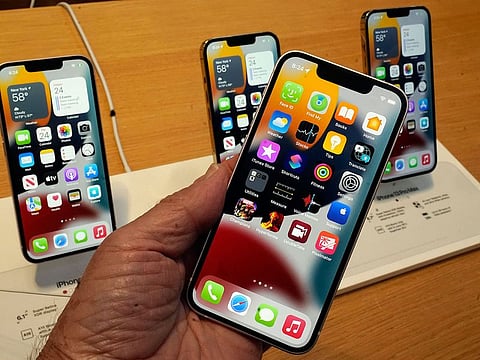
Apple’s iOS 27 may not be defined by flashy headline features, but it’s packed with upgrades that promise to change how the iPhone feels in everyday use. Apart from the bigger platform changes, Apple has sprinkled in a series of cautious changes across core apps, customisation tools, and system controls, small updates that add up to a noticeably smoother experience.
Here are the standout iOS 27 features:
1. Full-screen widgets take over the Home Screen
Widgets are no longer confined to small panels. In iOS 27, users can stretch them across an entire Home Screen page, turning everyday info like weather, calendars, reminders, and news into a full, glanceable dashboard.
2. More precise control over system audio
Volume settings finally get granular. Instead of a single system mix, iOS 27 allows separate controls for alarms, timers, alerts, and system sounds—giving users far more freedom to fine-tune how their device behaves.
3. Faster paste actions from the clipboard
Copying and pasting gets a speed boost. When content is copied, iOS 27 surfaces a quick paste suggestion, making it easier to drop text or images into apps without long-press menus.
4. A smarter Weather app redesign
The Weather app now highlights key upcoming conditions through a new “Highlights” section, while also making it easier to switch between detailed views like Conditions, Precipitation, and Wind.
5. More flexible Messages controls
Messaging becomes more customizable with options to toggle voice recording and dictation buttons on or off. A new built-in Drawing tool also lets users sketch notes, diagrams, or doodles directly in chats.
6. Camera tools made easier to access
Photography controls get a usability upgrade. Depth settings, grid lines, and level indicators are now more accessible while shooting, helping users frame and capture shots more precisely.
7. Everyday improvements across the system
iOS 27 also adds a range of smaller refinements: A scroll bar in the emoji keyboard for faster browsing, a redesigned Control Centre slider for Timer adjustments, and smoother navigation across system tools.
8. Privacy gets a flexible upgrade in Find My
Users can now temporarily hide their location from specific contacts without triggering notifications, offering more control over when and with whom location is shared.
9. Wallet becomes more customisable
Apart from tickets and boarding passes, Wallet now supports custom passes, expanding what users can store and create within the app.
10. CarPlay adds audio scrubbing
Skipping through podcasts and music becomes more precise in CarPlay, thanks to the addition of audio scrubbing controls.
11. Manual syncing comes to iCloud
Users gain more control over cloud updates, with the ability to manually sync files, photos, and Health data when needed.
12. Calendar gets smarter with holidays
The Calendar app can now detect public holidays and prompt users about existing alarms scheduled on those days, helping avoid unexpected conflicts.


