
Why your Wi-Fi is strong in one room but weak in another, and how to fix it
A faster internet plan won't fix every dead zone. Here's what can help
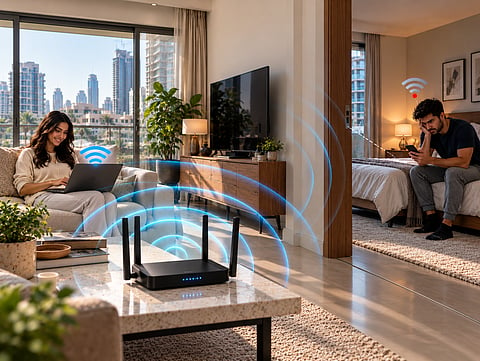
A faster internet package cannot make radio signals travel through walls more effectively. Wi-Fi uses radio frequencies, and the distance those signals cover depends partly on the frequency being used. According to Intel, 2.4 GHz Wi-Fi generally reaches farther and penetrates obstacles better than 5 GHz, while 5 GHz can support faster connections at shorter distances. This explains why a laptop beside the router might perform brilliantly while a television in another room struggles to stream. The broadband connection has not necessarily changed. The wireless signal reaching the device has.
Why Wi-Fi coverage varies around your home
Every wall, floor and large obstacle between a router and a connected device can weaken its signal. Materials, router placement and interference from neighbouring wireless networks also influence performance.
In a UAE apartment, a router positioned near the entrance might struggle to reach a bedroom at the opposite end. In a multi-storey villa, the distance between floors adds another consideration.
Intel recommends reducing interference and reconsidering router placement when troubleshooting wireless performance.
Start by positioning the router somewhere open and reasonably central, rather than inside a cabinet. Compare speeds near the router and in the affected room.
If performance improves dramatically closer to the router, coverage may be the problem. If every room is slow, investigate the broadband connection before buying additional networking equipment.
What to look for before upgrading
Choose a solution according to where connectivity fails. Mesh systems distribute Wi-Fi through several connected units. Range extenders repeat an existing wireless signal. Ethernet cables connect devices directly, while powerline adapters carry network data through compatible electrical wiring.
Check Ethernet port speeds, wireless standards and installation requirements. Advertised wireless speeds represent theoretical connection rates, not guaranteed internet performance. More expensive equipment will not automatically improve a connection limited by the broadband package.
1. TP-Link Deco M4 Mesh Wi-Fi System
The TP-Link Deco M4 distributes wireless coverage through multiple connected units, making it a practical option for larger apartments and villas.
It uses dual-band Wi-Fi 5, with advertised wireless link rates of up to 867 Mbps on 5 GHz and 300 Mbps on 2.4 GHz. Each unit includes two Gigabit Ethernet ports, and the system supports wired connections between Deco units.
Its main advantage is coordinated coverage as people move between rooms, rather than relying on one centrally positioned router.
2. TP-Link RE315 Wi-Fi Range Extender
For one troublesome bedroom or study, the TP-Link RE315 offers a more targeted approach than replacing an entire network.
This dual-band AC1200 extender supports advertised rates of 300 Mbps on 2.4 GHz and 867 Mbps on 5 GHz. It also includes a 10/100 Mbps Ethernet port and a signal indicator to help identify suitable placement.
Positioning is important. The extender needs a sufficiently strong connection to the original router before it can repeat that signal effectively.
It also supports access point mode for wired installations. EasyMesh functionality is available with compatible routers, making compatibility worth checking before purchase.
3. UGREEN Ethernet Cable
A wired connection removes the wireless link between the router and a compatible device, making Ethernet particularly useful for gaming consoles, desktop computers and home-office equipment.
This UGREEN cable provides a direct networking option where the router and device can be connected physically.
The UGREEN Cat 8 Ethernet cable features a 5.5mm braided design, RJ45 connectors with anti-oxidation protection, dust caps and protective covers for added durability. It also supports Power over Ethernet (PoE) for data and power transmission, except for the 65ft variant.
The practical benefit is consistency. A cable avoids Wi-Fi interference on that particular connection, although internet performance still depends on the broadband service and connected equipment.
For a gaming setup or workstation near the router, this may be a simpler investment than installing additional wireless hardware. Check the required length before ordering.
4. TP-Link TL-WPA4220 Powerline Wi-Fi Kit
Powerline networking offers another way to reach rooms where wireless coverage is difficult without installing a long Ethernet cable.
The TP-Link TL-WPA4220 kit uses existing electrical wiring to carry network data between compatible adapters. TP-Link lists theoretical powerline rates of up to 600 Mbps and wireless connectivity of up to 300 Mbps on 2.4 GHz.
The Wi-Fi adapter also provides two 10/100 Mbps Ethernet ports.
Performance depends on electrical wiring conditions and the circuit connecting the adapters, so advertised speeds are not guaranteed.
Which Wi-Fi fix makes the most sense?
Start with router placement before spending anything. For one weak room, the TP-Link RE315 is a sensible targeted option. A nearby gaming console or office computer may benefit more from Ethernet, while powerline networking offers an alternative where running cables is inconvenient.
For several weak rooms or a larger villa, the TP-Link Deco M4 is the strongest overall recommendation here because its multiple units address coverage across the home rather than one isolated location.
Gulf News earns a commission on purchases made through links in this article, at no extra cost to you. Our editorial team selects products independently.


