Techie Tonic: Hirudo Android malware replaces banking apps to steal credentials
The attack often begins with something deceptively ordinary, like an online advertisement
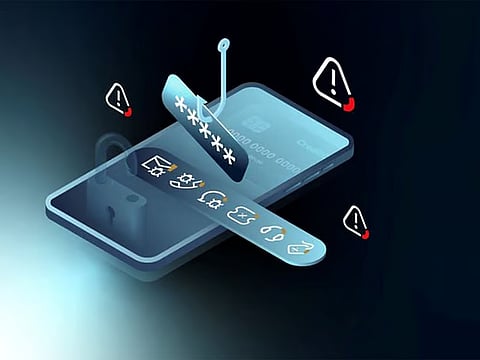
An interesting discussion with banking industry cybersecurity expert, Dhiraj Sasidharan on the current malware threats, as smartphones have become digital wallets, personal safes, and banking branches all in one, a newly discovered Android banking trojan is serving as a stark reminder that cybercriminals are becoming more sophisticated than ever.
Dhiraj started the conversation, revealing the recent security research that have uncovered a dangerous malware strain called Hirudo, a name derived from the Latin word for "leech." The description is fitting. Like a leech, the malware quietly attaches itself to victims’ devices, feeding on sensitive financial information while remaining largely unnoticed until money disappears from accounts.
Get updated faster and for FREE: Download the Gulf News app now - simply click here.
Unlike traditional banking malware that merely overlays fake login screens on top of legitimate banking applications, Hirudo takes a far more aggressive approach. It effectively removes the genuine banking app and replaces it with a nearly identical counterfeit version designed to steal credentials, intercept security codes, and monitor user activity.
The discovery highlights a disturbing evolution in mobile banking threats and serves as a warning to both consumers and financial institutions worldwide.
A new breed of banking attack
He added further that the attack often begins with something deceptively ordinary, like “an online advertisement”.
Users browsing social media platforms such as Facebook or Instagram may encounter advertisements promoting free sports streaming services, shopping applications, or entertainment platforms. Clicking the advertisement leads users to a website carefully designed to resemble the Google Play Store.
The application initially appears harmless. In many cases, it actually works as advertised, offering videos, shopping functions, or other legitimate features. This is precisely what makes the scheme effective. A functioning application lowers suspicion and builds trust.
The danger emerges when users are prompted to install an “update.”
What appears to be a routine upgrade is actually a second malicious application. Once installed, the malware seeks elevated permissions, including Accessibility Services and Notification Access. These permissions effectively provide attackers with the ability to monitor screen activity, read notifications, intercept one-time passwords (OTPs), and in some instances perform actions on behalf of the user.
The malware's most alarming feature comes next.
Rather than simply impersonating a banking application, Hirudo persuades users to uninstall their legitimate banking or payment application. It then installs a counterfeit version carrying the same icon, name, and appearance as the original.
To the victim, nothing seems unusual.
Behind the scenes, however, every login credential, PIN number, payment code, and authentication detail can be collected and transmitted to cybercriminals.
Why human action remains the last line of defence
Despite its sophistication, Hirudo still relies on one critical ingredient, as “human cooperation”.
Dhiraj emphasizes that Android security measures prevent malicious applications from directly replacing genuine banking apps. As a result, attackers must convince users to uninstall the legitimate application themselves.
This creates a crucial opportunity for prevention.
A simple rule could stop many attacks before they begin:
Legitimate banks and payment providers do not ask customers to uninstall their banking applications and reinstall them through links, pop-ups, advertisements, or third-party websites. Official updates come through the Google Play Store.
If any application or support representative requests otherwise, users should immediately treat it as suspicious.
Permission requests that should raise red flags
Most of our community experts are also warning users to pay close attention to permission requests.
Some permissions are normal when requested by trusted applications at appropriate moments. Others should trigger immediate concern.
Among the most dangerous are:
Accessibility permissions that allow apps to read screen content and perform actions automatically.
Notification access that enables apps to read incoming messages and OTPs.
SMS-reading permissions that can expose banking verification codes.
Screen overlay permissions used to place fake login forms over legitimate applications.
Device administrator privileges that make malware difficult to remove.
Screen recording and casting permissions that expose everything a user sees.
A key warning sign is urgency. If an application demands extensive permissions immediately after installation, particularly one installed from a link or advertisement rather than an official app store, users should proceed with extreme caution.
The growing risk of mobile banking fraud
The emergence of Hirudo reflects a broader trend in cybercrime.
Criminal groups are increasingly targeting smartphones because they serve as the central hub for banking, identity verification, communications, and authentication. A single compromised device can provide attackers with access to bank accounts, email services, financial records, and personal information.
It is noted that Hirudo's operators maintain detailed victim profiles, reportedly collecting information such as credentials, financial data, and device activity. Such intelligence can be used to facilitate larger fraud campaigns and account takeovers.
For financial institutions, the threat also exposes the limitations of relying solely on security checks performed within mobile applications. Security decisions increasingly need to be validated on the server side, where malware cannot easily manipulate results.
A 10-Minute Monthly Security Check
Our MANY CXO community Cybersecurity professionals recommend that smartphone users dedicate just ten minutes each month to review critical security settings.
Key checks include:
Reviewing Accessibility settings for unfamiliar applications.
Examining Notification Access permissions.
Ensuring “Install Unknown Apps” is disabled.
Checking Device Administrator privileges.
Reviewing applications that can display over other apps.
Confirming banking and payment apps were installed directly from the Google Play Store.
Carefully reviewing bank statements for unusual transactions, even small ones.
These simple steps can dramatically reduce the likelihood of a successful compromise.
The bottom line
The lesson from Hirudo is both alarming and reassuring.
The malware is sophisticated enough to mimic trusted banking applications, intercept security controls, and steal sensitive financial information. Yet every stage of the attack still depends on users granting permissions, approving installations, and removing legitimate applications.
Cybercriminals may have developed a smarter leech, but it still needs permission to attach itself.
For consumers, vigilance remains the most powerful defense. Before tapping “Allow,” “Install,” or “Uninstall,” pause and ask a simple question:
Would my bank really ask me to do this?
In an age of increasingly deceptive cyber threats, that moment of hesitation may be all that stands between a secure account and a costly fraud.
Stay tuned for more updates and more interviews.


