Some Apple upgrades rock, but it needs to tweak others
iPhone 6S’s 3D touch will be best feature since swiping, if integrated into apps
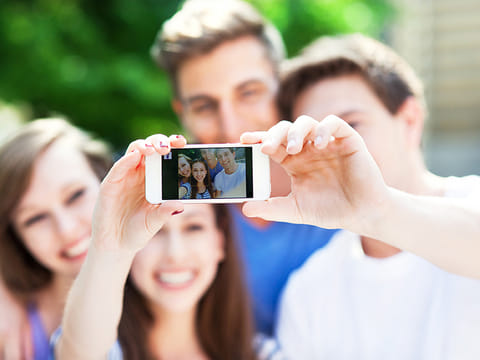
Smart? Speed? Selfie? Or just the Same?
There been a lot of speculation about what the “s” in the iPhone 6s, which was launched this week in the UAE, stand for. After spending a day with the Apple’s latest flagship (you can check out my first day reaction online), I think that the S stands for all of those things.
Smart
Apple made a big deal over its new 3D Touch feature, which is a misnomer. Many people seems to think it’s a 3D screen, but it’s really a 3D operating system, which means that in addition to swiping in two dimensions, you now have the addition of depth. Also, you don’t touch as much as you press.
Pressing down on an icon, picture or email will now give you additional options on the screen. In short, as I said earlier, this is a great idea. One example is that Twitter, who has integrated this into its app, so that the ability to post a new tweet is just a press away, instead of the now obsolete and heavily time-consuming way of having to press the app button and then press the “new post” button.
Ok, you may think I’m being sarcastic, but after you get used to pressing down on the screen for options, having to change your gripe and use a different finger to work your ways through menus is a bit of a deterrent. After a while, you come to expect that everything is just a push away.
Which is why this feature isn’t “the next big thing,” yet. Apple has integrated the feature into most of its major apps, such as Mail and Photos. A number of major apps, including Facebook, Instagram and Twitter have also included this feature in updated apps, but none of them have integrated it well.
Instagram, for example, is a big disappointment. Pressing on the app’s icon will bring up a four additional options, but once in the app, pressing only works on your data feed, but not on your own pictures.
Google is a total bust. None of its apps responded to pressure. That brings up the issue, do I stick with Google Inbox, my preferred email app, or move to back to Apple’s Mail app, just so I can press? Probably, not.
So far we count 49 apps that have included the 3D feature and the list seems to be growing — so it’s no bust — but for this to be a feature that commands an upgrade, more app developers are going to have to find more — and better — ways to including it in their apps.
Speed
The iPhone 3s was the original “speedy” iPhone, but I thought the iPhone 6 was pretty powerful, at least for someone who uses it for games, music and video. So far, I’ve found nothing that the new chips couldn’t handle and handle well, and that includes running a number of simulations and racing games.
This chip’s performance isn’t really a surprise. The new upgraded A7 chips are supposed to be fast, but the real question is just how this would expect battery life, and I have heard the complaints.
But, and for the record I’m using the iPhone 6s Plus, which has a larger battery, I’ve seen no noticeable change in battery life from the original iPhone 6.
My second day with the phone was general spend doing everything to drain the battery, including watching an HD movie, playing multiple video games, downloading apps, streaming music over Bluetooth and photo editing. I’d estimate this included 6 hours of heavy use with light to medium use (web browsing and messaging) for the rest of the day. It wasn’t until the evening that my battery level dropped below 50 per cent.
If I had any complaint, it was that thumb scanner now works so fast, that the welcome screen notifications are gone before I can read them. And while we’re on my issues with the thumb scanner, Apple has increased these number of digits from four to six to increase security. That’s great if I’m using my dominate hand, but rather frustrating if I’m not. I appreciate Apple’s effects to make the iPhone a one-hand operation, but it shouldn’t make it a problem for you to switch hands.
Selfie
This world didn’t need to be encouraged to take more selfies. Oh well.
Apple’s front facing camera now has a flash, which comes from the screen instead of a built-in bulb. However, it doesn’t take long to figure out the screen works as a fill flash and not as a normal flash. A fill flash isn’t mean to illuminate much; instead it’s meant to remove the shadow lines on your face, meaning you get better exposed photos. Cool beans.
But try using this as a flash in a dark room and the results are mixed. The most common results was a couple of exposed faces with a very dark background. In some lighting, it was better to turn the flash off.
The main camera, which now comes with 4K video, is still the powerhouse. I was particularly please with the new image stabilisation feature, meant to minimise the effects of shaky hands. To test it out, I put the camera on the dashboard of my Jeep Wrangler and went driving around town. The vibration from the engine, which was very visible on screen when taking the video, was for the most part eliminated when I watched the final product. The ability to zoom in on video as it was playing is also a nice touch.
Apple’s Live Photos, a software upgrade on the 6, is a bit of a mixed bag. The concept is fun: the phone starts recording as soon as your camera goes “Live” and the produces a 3 sec video that works the same as a normal picture, which means you can use your mini-video as a screen saver or a welcome screen. Cute, right? Except, there is a trick.
The Live Photo captures 1.5 second before and after you press the button. We’ve been trying to speculate with why Apple would do this. Maybe it’s for patents who are a little slow on the button when they’re kids do something cute. But for the rest of us, it’s a pain trying to time the photos.
Sure, you can take multiple photos and the then go back and pick the one that works. That’s not cute. That’s just random. The 3-second photos is cool, the 1.5 before and after range should, at least, be something we can turn off.
Same
It’s should come as no surprise to any one who has watched Apple’s previous “S” launches that this phone and looks and feels pretty much just like the original iPhone 6. Yes, officially it’s heavier with higher grade aluminium to avoid a Bendgate2, but you probably won’t notice. I didn’t, although I didn’t ask Apple for a couple of extra tester units that I could mash test. Maybe I should have.
The end result is that the iPhone 6s is a substantive upgrade from last year’s model, although many iPhone 6 users may not be able to justify the price of an upgrade. The integration of Apple’s iOS with the hardware and camera still makes this one of the best phones on the market, although some of the new software could use some tweaking. App developers certainly will need to adopt the new 3D OS feature, too.
Bottom line: If you’re still using a iPhone 5 or earlier, it’s time to consider an upgrade. If you’re an Android user, well, you should be considering a change.


