Open WiFi: an invitation to steal data
Don’t become prime target of online hackers as you drink coffee or read a book
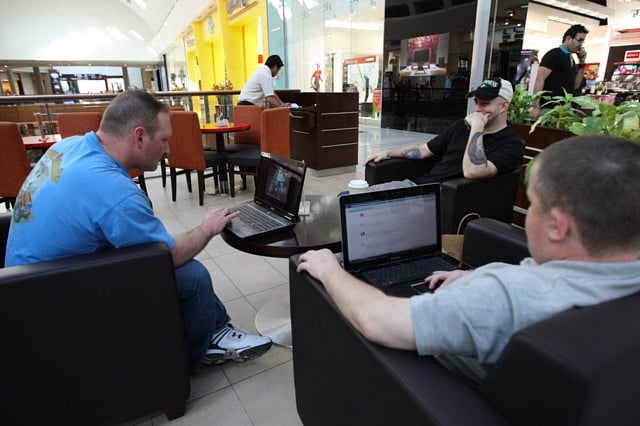
Dubai: It’s a balmy Friday afternoon. You are sitting at a upscale coffee shop sipping some hot Mocha Latte while surfing the net on your cool smartphone.
Suddenly you see a great deal on that little black dress you have been longing for. You pull out your credit card, type in the details and bingo — before the waitress has even adjusted her apron, the dress is yours. You smile smugly on a job well done.
However, in bagging that deal, little do you realise you may have inadvertently compromised your credit card details to a hacker sitting a few tables away.
The reason? Open WiFi hotspot.
Open WiFi hotspots are by nature insecure (no encryption security measures), which is why surfing sensitive stuff in such an environment is asking for big trouble.
When you’re signed on to such a hotspot (or to an unsecured network at home or your friend’s place), it’s possible for someone to come along and snatch your data out of thin air, literally.
Sherif El-Nabawi CEng MIET CISSP Director, EMER Professional Services, Mcafee International, says, “If the data is not encrypted between the user and the access point, hackers can steal information using many publicly available techniques. This means your personal data, credit card information, banking passwords, e-mail passwords, logging passwords to any system can be all compromised.”
Be secure, be safe
If you need to conduct financial transactions or banking via the web, you better use a secure WiFi (where data is encrypted), suggests Sherif. Under a secure environment, the data transmitted between your PC and wireless router is protected with an encryption algorithm.
Experts say the best way to avoid fiscal horror stories is to avoid connecting to websites or service requiring password authentication that is not specifically securely protected using SSL, etc. If at all you need to do some sensitive transactions on free networks, it is better you connect to a VPN connection. If you do not have access to a secure VPN, then simply limit your wireless usage to general internet surfing and non-critical email accounts.
Also make sure the network you are connected to is a legitimate one (correct SSID). There have even been instances where hackers have initiated ‘phishing’ attacks by setting up ‘Evil Twin’ networks (phoney open networks with similar names) to steal data.
Another important precaution when conducting sensitive transactions such as online banking or paying through plastic cards is to check the address bar in your browser begins with “https” and not “http,” or something else. ‘https’ encrypts all information being passed back and forth.
Protect your computer
There are also measures to ensure your device and personal information is safe when surfing the net. The most important step is to get a good anti-virus and anti-spyware software for your computer/smartphone — and even more important, regularly update it with the latest definitions. “Leaving you PC/laptop without an anti-virus is like sleeping with your front door open. An anti-virus will stop viruses, worms and Trojans from playing havoc,” says Sherif.
According to him, it is also essential to keep your operating system up to date by regularly updating your laptop, smartphone, computer with the latest security patches. In addition to the firewall that comes with your PC (for example Windows Firewall), it will also be great if you could use a good software firewall.
Also be careful with the network settings on your computer. It’s crucial you turn off file-sharing or restrict access to authorised users only and enable permission on your folders. If you fail to do that, it’s very easy for any user connected to the same wireless network to easily access the files in your shared folders.
And remember, always password protect your computer.
Home networks
While open networks are risk-bound, what about home networks where multiple users are connected? Are these safe? No, says Sherif. According to him, if you are sharing your WiFi network with other flatmates or friends, it is possible that someone could access your sensitive data. “The first line of defence for your WiFi network is encryption, which encodes the data transmitted between your PC and your wireless router,” says Sherif.
Make sure your wireless router has a built-in firewall (most new ones do) and supports the latest security protocol — WPA2. Most modern routers support WPA2 and you should use it, with the highest level of encryption possible (256-bit).
It is also prudent to turn off the SSID (or network name) broadcast in your router’s settings to prevent others from seeing your network automatically. “Also make sure you change the default network name and password on your router. Use a strong password that is hard to guess or crack,” said Sherif.
Prevention they say is better than cure and nowhere is it more important than when you are browsing the net. Use common sense and be alert.
Happy surfing.
What is a open WiFi hotspot and a secure hotspot?
Open WiFi Spot: A WiFi spot that has no encryption security measures.
Secure wifi: A WiFi network where data is encrypted. This means the data transmitted between your PC and your wireless router is protected with an encryption algorithm
Techniques used by hackers in open WiFi hotspots:
Packet sniffing, which is the simplest form of intrusion. A free program like tcpdump can be used to capture all of the data sent over the wireless connection, including both traffic to or from your computer. Thus, any unencrypted internet traffic to/from your computer can be transparently viewed, either at the time or later.
A tool like nmap can be used to quietly scan a machine for any services you may have left open, and can then be used to attempt to break into them. In particular, remote desktop and screen sharing allow for simple visual observation of all behaviour on your machine.
Precautions while browsing on an open network
If you are transferring sensitive files while connected to an open hotspot make sure that you encrypt your files.
If you need to check email ensure you are connected over an SSL connection before entering your username and password.
Avoid surfing sensitive websites such as banking sites and other financial sites or conducting financial transactions involving credit/debit cards. (Courtesy: Mcafee International)
Sign up for the Daily Briefing
Get the latest news and updates straight to your inbox
Network Links
GN StoreDownload our app
© Al Nisr Publishing LLC 2026. All rights reserved.